Service Technician App: What Your Techs Actually Need on the Job
November 19, 2026
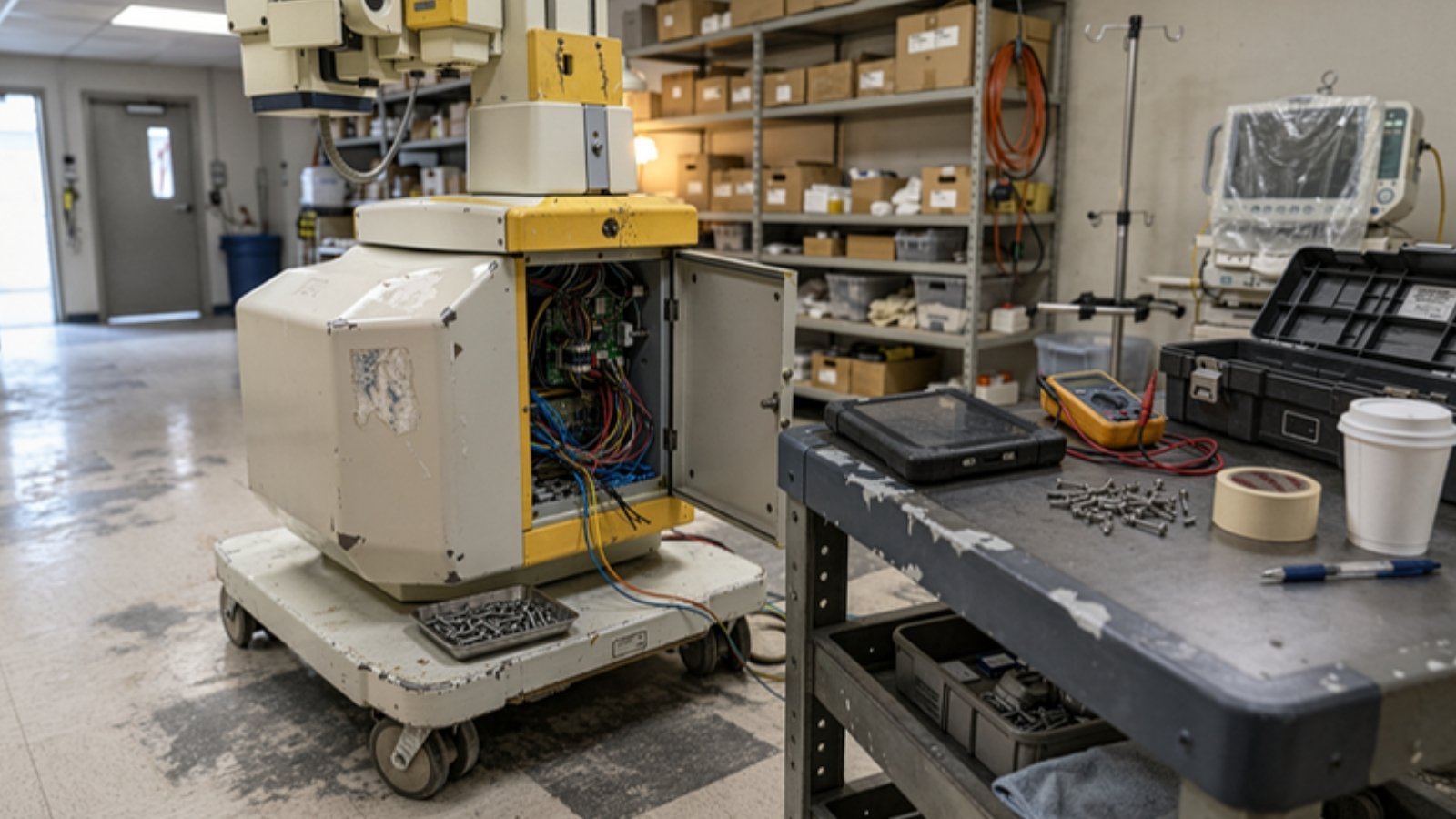
Most companies shopping for a service technician app are really shopping for a dispatch app. The demo shows the schedule, the map, the parts list and the signature screen. Those things matter. But stand next to a tech who has just opened the panel on a machine they haven't seen in two years, and the question on their mind isn't "where is my next job?" It's "what do I check first, and where does the manual say so?"
This guide walks through what a service technician app needs to do for equipment service teams, where most apps stop, and how to test the gap before you sign anything.
What a service technician app usually does
Read the product pages of the big field service platforms and you'll see the same core. Microsoft describes its Dynamics 365 Field Service mobile app as helping technicians manage assigned work, get directions to job sites, complete service tasks, and record work from a mobile device, with offline access when an administrator sets it up.
That is the standard shape of the category:
- Schedule and dispatch. Today's jobs, in order, with addresses.
- Work orders. The customer, the asset, the complaint, the history.
- Parts and time. What was used, how long it took.
- Closeout. Notes, photos, signature, service report.
If your team still runs on phone calls and paper tickets, any decent app here will be a step up. The problem is what happens between "arrived on site" and "job closed." That's the part that decides whether the visit fixes the machine, and it's the part most apps leave to the tech.
The part of the job the app usually skips
The U.S. Bureau of Labor Statistics describes what medical equipment repairers do: they diagnose faults, adjust mechanical, electronic or hydraulic parts and software, and run scheduled maintenance on equipment like x-ray machines and CT scanners. It also notes, plainly, that they may consult technical manuals as needed.
"As needed" is doing a lot of work in that sentence. On a familiar fault, the tech knows the fix. On an unfamiliar model, an intermittent error or a board they've never swapped, the manual is the job. And in most service technician apps, the manual is either missing or attached as a long PDF that nobody wants to scroll through on a phone in an equipment room.
Techs fill the gap the way they always have. In a Service Council survey of more than 1,850 field service technicians, asking or calling a colleague was still the most popular way to get help, at 79%, and only 55% agreed that their IT tools were making the job easier. Calling a colleague works until that colleague is on another job, on vacation or retired.
And the knowledge load is going up, not down. In the Service Council's 2022 Voice of the Field Service Engineer survey, 85% of technicians agreed that more technical knowledge is needed to do their jobs than when they started.
What your techs actually need from a service technician app
Here's the list we'd use if we were picking a service technician app for an equipment service team. The first four are table stakes. The last three are where apps differ.
1. Offline access that actually works
Equipment rooms, basements and shielded imaging suites are bad places for signal. If the app needs a connection to open a work order or save a note, techs will stop trusting it. Ask exactly which screens work offline, and test them in airplane mode during the demo.
2. The asset's history, by model and fault
A tech should see what's been done on this unit before: past faults, parts replaced, notes from the last visit. Better still, they should be able to search the same fault across every unit of that model you service. That's how one tech's fix becomes the whole team's fix.
3. Fast, structured closeout
Free-text notes like "fixed, tested OK" help nobody six months later. Require a few short fields: what failed, what was replaced, which procedure was followed. Our field service report template shows a simple version.
4. Photos and files tied to the job
Error screens, wiring before you pull it, the serial plate. Photos should attach to the work order automatically, not live in the tech's camera roll.
5. Repair steps for this fault, on this model
This is the big one. When a tech opens a job for a specific fault code on a specific model, the app should help them get to the right procedure in the manual quickly, not just hand them the whole PDF. Step-by-step guidance shortens the time between "I see the error" and "I know what to check." It's also one of the most direct ways to improve first-time fix rate and reduce MTTR.
6. Every step traceable to the manual
Guidance is only useful if the tech can trust it. Every instruction should point back to the exact section of the manufacturer's manual it came from, so the tech can check it and the service record can show it. This matters most for regulated equipment, where the WHO's guidance on maintenance programmes stresses defined procedures for inspection and for preventive and corrective maintenance. An answer with no source is a guess, and guesses don't belong in a service record.
7. An honest "not covered," with a way to escalate
Some faults aren't in the manual. A good app says so instead of making something up, and routes the question to a senior engineer or the OEM. The answer then gets written down, so the next tech who hits that fault isn't starting from zero. If you're looking at AI features, read our take on what field service AI can and can't do before you trust any tool that never says "I don't know."
How to test a service technician app before you buy
Demos are built around the happy path. Bring your own unhappy path.
- Pick three real jobs from last quarter. Choose ones that needed a second visit or a phone call to a senior tech.
- Ask the vendor to walk through each one in the app. Not a sample job. Yours.
- Watch what the tech sees at the diagnosis step. Is it a procedure for that fault, or a link to a PDF?
- Ask where each instruction came from. If the answer is "the model knows," that's not a source.
- Test a fault that isn't in the manual. See what the app does when it has no answer.
- Go offline and close out the job. Then check what the report looks like back in the office.
- Ask a tech, not a manager, to score it. They're the ones who'll use it in a cramped room with gloves on.
If the app handles steps 3 to 5 well, you've found something most of the category doesn't do.
Why this matters more every year
Equipment service is a growing field with a thin bench. BLS projects jobs for medical equipment repairers to grow 13% from 2025 to 2035, with about 8,200 openings a year. Every one of those openings is a tech who doesn't yet know your installed base. The less of the job lives in a few people's heads, the faster new techs get useful, and the less it hurts when experienced ones leave.
A service technician app that only tracks the job will keep your schedule tidy. One that helps techs do the repair is what moves the numbers your customers care about.
Where Fixr8 fits
Fixr8 isn't a dispatch or scheduling app, and it doesn't try to replace one. It covers the part most service technician apps skip: it turns your equipment service manuals into step-by-step guidance a tech can follow on the job. Every answer cites the exact manual section it came from, and when the manual doesn't cover a fault, Fixr8 says so and escalates instead of guessing.
If your team services imaging or medical equipment and you're tired of repairs that depend on who picks up the phone, check whether your team is a fit or book a 30-minute demo and bring one of your hard jobs.
Sources
- Dynamics 365 Field Service mobile app overview (Microsoft Learn)
- Medical Equipment Repairers, Occupational Outlook Handbook (U.S. Bureau of Labor Statistics)
- What the 2022 Voice of the Field Service Engineers Survey Taught Us (GoFormz, reporting Service Council survey)
- Create a Knowledge Management Platform for Technician Success (Service Council)
- Medical equipment maintenance programme overview (World Health Organization)
Stop paying for the same repair twice.
FixR8 Field Notes: one short email a week with practical playbooks, one sourced stat, and one blunt takeaway for equipment service teams. No fluff. Unsubscribe anytime.
Opens Substack to confirm. Read past issues